Maker Workbench Inspiration

I think I’m going to find or make some signs with some of these quotes to put up around my workbench.  Here are some of the ones I’d most like to have:

“Sucking at something is the first step to being sorta good at something.”  ~Jake the Dog, Adventure Time

“Take chances, make mistakes, get messy!” ~Miss Frizzle, The Magic School Bus

“A journey of a thousand miles begins with a single step” ~Laozi, Chinese philosopher

“What’s the point of being grown up if you can’t be childish sometimes?” ~The Doctor, Doctor Who

“Any problem can be solved with a little ingenuity.”  ~Angus MacGyver, MacGyver


Beat Saber Updates

Beat Saber has recently put out some updates that couldn’t have come at a better time for me.

I use Beat Saber as my preferred mode of exercise nowadays, and I had gotten kinda tired of playing the same songs over and over again.  Also, I had one set of settings that seemed to really work for me, but it got very repetitive.

Beat Saber has added new songs for free, a new set of songs for sale, and a campaign mode!  The new songs definitely bring more playability back to the game, and the campaign mode mixes it up.

The campaign also finally gives a decent tutorial to the game.  I saw that there were different point values assigned to the hits I was scoring on the blocks, but had not seen an explanation for what criteria went into the scoring.  Now I know how, and I’ve been practicing for score somewhat, so I’m getting new high scores.

The campaign also adds a wide variety of new challenges.  It changes up the standard settings, and adds weird requirements.  Examples are:

  • Move your arms 100 meters (you have to move your arms in the widest motions possible while still beating the level)
  • DON’T move your arms more than 50 meters (move your arms as little as possible)
  • You have a maximum of misses and miscuts
  • DON’T get a combo of more than 25

The one I’m currently daunted by has a minimum combo length AND a maximum combo length.  Particularly challenging with the barriers occasionally obscuring the current combo counter.

Right now I am enjoying playing solo mode with the new songs the most.  I get some new challenges and variety, and a good workout.

Keep it up, Beat Saber, and keep adding new content!

Technomancy Skill Upgrade: PC Building Simulator

I am fond of the concept of games that you can play to teach you useful skills.  I feel that some of my academic skills when I was younger were enhanced by playing educational games.  I’d like to see more (and better implemented) games that teach skills for kids AND adults.

Here is one such game.

PC Building Simulator

It can be found on steam here

This simulator has you playing as a person (you never see them) who has recently been handed their uncle’s failing PC repair shop.  You have to take the failing business and make it work, which is mostly a matter of cleaning, repairing, and upgrading computers to the specifications of your customers.

This simulator teaches you about how to repair and upgrade computers, with the computers and their components being digital recreations of real-world parts.  It goes through the panels you have to remove, wires that have to be connected, part compatibility, etc.

It also makes you learn some about the business side of things.  Making sure you balance how urgent orders are versus how much shipping is.  Completing orders in the right order so that you get paid enough to be able to get upgrades and pay for the parts to upgrade the next computers (since you only get paid upon delivery).

It’s not a thrilling game, but it can be relaxing and educational.  So far I’ve never built a PC from scratch, and I’m glad I’m going through this simulator first.  I’ve already learned simple things from it that can be the difference between whether my next computer is a powerful machine or destroying itself from poor heat management.

The only gripe I have is that it doesn’t show or say anything about anti-static precautions, but I guess it got overlooked since that would be difficult to show on the screen.  Don’t forget to ground yourself to the case before working on computer components!

Otherwise, give this simulator a try!  Between the simulator (and due diligence with research) you might be able to save the money you would have paid someone to build your next computer.

3D Print Logging Catchup

I’m trying to catch up on logging some of my 3D prints.  This isn’t all of them, but it’s an update.

wall face 2.jpg

My wizard found one of these as an item on the wall a while back, and took it with him.  I thought I should print one to have on hand for roleplaying.

Wall Face (Acererak)

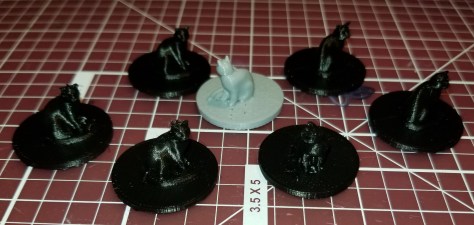
cat familiars.jpg

Cat Familiar

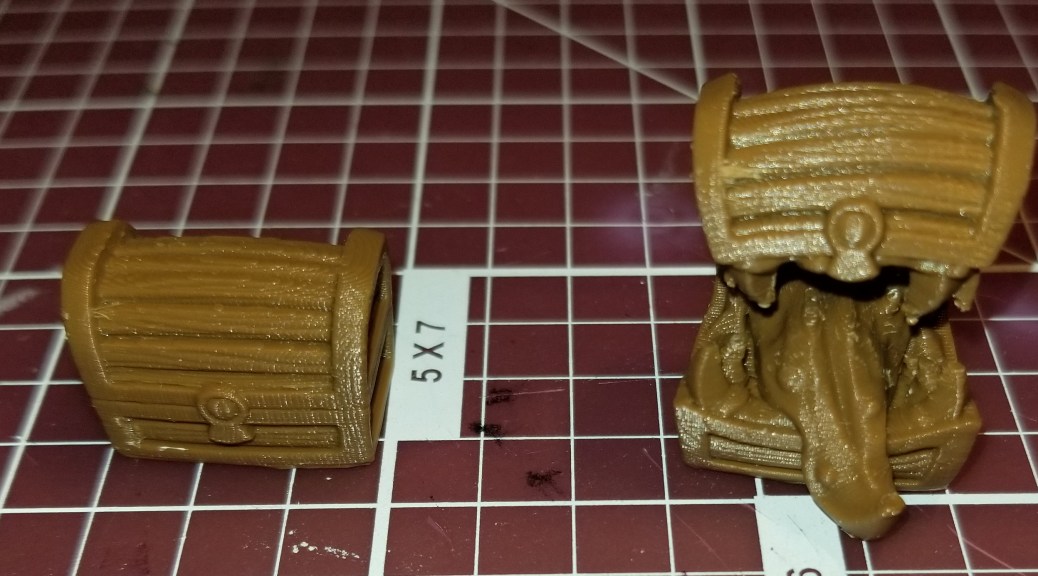
mockers.jpg

That is totally just a normal chest.  What could go wrong?

Mocker

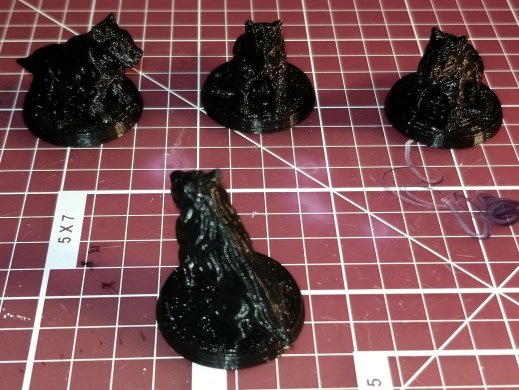
goblin wolf.jpg

Dog/Wolf Mini for D&D

flatminis guards

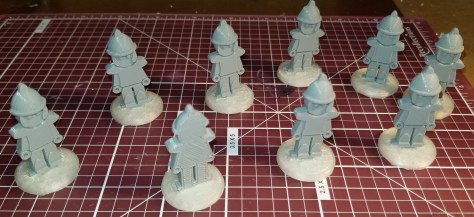
I needed more guardsmen for urban encounters.

FlatMinis: Town Guard

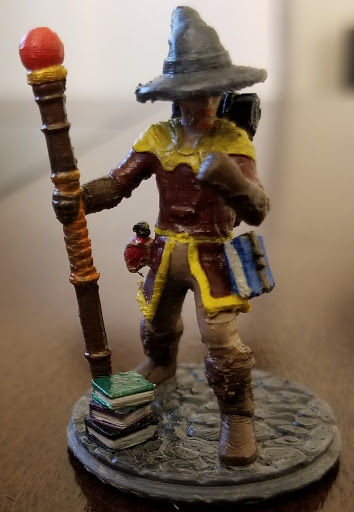
pretty woman mini3.jpg

I needed a druid mini for an urban encounter, so I slightly remixed one to add a base.

Pretty Woman


The Homebrewery: DM Module Template

Recently I was looking for a template so that I could write my notes for an upcoming homebrew game in a format similar to modules.  If I want to share it later it would be easier, and in any case I thought it might help me to organize my thoughts on the adventure… at least until the party inevitably takes it off the planned rails.

Enter The Homebrewery.

I did a quick search online for a helpful tool, and came across a recommendation to use this site:
https://homebrewery.naturalcrit.com/

Upon inspection, I was impressed.  It uses a CSS editor on the left side of the screen and a live preview of the document you are writing on the right.   The formatting is very similar to what the D&D hardcover adventures use.  It looks nice and professional, and just takes a little bit of paying attention to their frontpage introduction example.  The information in it is useful, and you can use the editing side of the page to learn how to make the effects on the right side of the page.

I’m looking forward to continuing using it.  It’s helping me keep in mind the methods used in professional adventure writing to ease the flow of the campaign.  Box text, subheadings for developments within the same encounter, etc.  It even does the fancy calligraphic letter for the first text on the page at a certain header level.

Sansar Update

I’m giving Sansar another stab.  I’ve tried it a bit before, but at the time it seemed to give me headaches.  I also had issues with intermittent movement when trying to use my treadmill with it.  I would start moving in the world, but it would quickly slow and stop my character.  I did enjoy that they made a couple of locations from Ready Player One in it.

They’ve recently added a quest system.  I’m not sure how extensive it is or planned to be, but it’s definitely more of an incentive to play.  Having a goal in a game is more likely to keep me invested.  You add the quest, fulfill the quest, then earn some in-game money.

In VRChat, you have whatever assets you’ve uploaded or have temporarily borrowed from another location (the avatars, for example).  In Sansar, to get new things you have to spend the coin in-game (unless you are creating content, but I don’t know how that works yet).

I do still have a biiiit of an issue that I’m working with their customer support on (hello, Garth!).  When I start moving forward in the game, I continue in a straight line no matter which way my head (and the headset) is facing at the time.  Thankfully, their support staff responds quickly, as I have already gotten a response from the email I sent on Friday about the issue.

I haven’t noticed headache issues yet this time, but my playtime has been limited by the frustration with the locomotion system.  Hopefully we’ll get this resolved quickly.  I also hope that we get some good quests added to the list in the future.  I recommend adding a quest board.  My preference would be to have a brief description of quests visible in the form of flyers on the board, and interacting with them to get more information with an option to accept after reading it.  I also recommend putting some variety in there to get people to explore the content (if it’s do-able).  “Go to the X world.”  “Stab a target dummy on X world with a sword.”  Stuff that involves going places, and if the detection can be done right, interacting with things that you have to go find in those worlds.

I’m looking forward to exploring those worlds more on my treadmill.  Sansar is the VR-compatible successor to Second Life, and I know that I enjoyed running around there with my mouse and keyboard.

Technomancer Inspirations

Here are some of the shows, stories, and franchises that have inspired me in science fiction and technomancy, often with the application of Clarke’s third law:

Any sufficiently advanced technology is indistinguishable from magic.


Star Trek:  I’ve not watched every episode of every season, but I have watched a lot of them.  I first started on Star Trek, the Next Generation, and I wanted to live on the Enterprise D.  Many entities over the years have technology that the user claims as magic, and/or it is revered as magic.  I’ve always been inspired by the Federation’s use of technology for the betterment of themselves and those around them.  Inspired by their engineers, using technology to solve seemingly impossible problems.

Stargate:  Many of the advanced races have technology that is often mistaken for magic (intentionally and unintentionally).  Goa’uld tell all their servants that their technology is magic, and enhance this impression by using devices that they wield to heal or destroy with hand gestures.  The Asgard are revered as gods, and they only go with it until the people they are dealing with it are advanced enough to handle the concepts of beings with advanced technology.

Babylon 5:  This is where I got my frontpage quote.  Aside from the myriad groups encountered, there is a group known as the Technomages who intentionally focus their technological development on trying to create the illusion of magic.  They are respected (or feared) depending on who they interact with and how.

Neuromancer:  This kinda feeds my cyberpunk aesthetic side.  Technology integrated as an essential part of daily life, so commonplace that it isn’t always even noticed.  A virtual world that is vast and connected with many places in the real world.  This one is relatively recent for me, but a lot of movies and shows I’ve loved over the years were clearly inspired by it (The Matrix and Code Lyoko come to mind).

Farscape:  Another one of my favorite space operas, following an astronaut named John Crichton as he tries to find his way home among the vast diversity of space and interstellar societies.  All sorts of technological wackiness, especially when there are beings so advanced that they created living ships with personalities of their own, made to be bonded with another species to act as Pilots.

Dragonriders of Pern:  Explorers of another planet genetically engineered local wildlife into flying, firebreathing, teleporting, telepathic dragons in order to combat an aerial threat to their society known as Thread.  Technology and society breaks down into a feudal structure over time, allowing them to combat the Thread with generations of dragonriders bonded to their dragons.


There are many others I’ve come across in my reading and viewing, but these are the main ones that first come to mind.

3D Printing and Postprocessing Safety

You should follow some basic safety precautions when dealing with 3D printers, and there are more advanced ones for further risk reduction that is particularly important if you aren’t going to monitor your prints closely.  I must note that most of my experience and the related reading I’ve done are related to Fused Deposition Modelling (FDM), which are the printers that use an extruded plastic filament, so there are probably other safety precautions I am ignorant of for other printing methods.  If you use something other than an FDM printer, I highly recommend doing your own research to find the to safeguard yourself and your printing area.

I must also note that these are aimed at safety, and will not guarantee you don’t have spectacularly failed prints, but will reduce the risk of property damage, injury, or death (before you get scared and put off 3D printing, I’m not sure that last one has ever happened, but it’s technically possible).


Monitor your printer:

You should watch or at least check on your 3D printer periodically while it’s printing.  This helps with keeping your prints from failing spectacularly, and helps you recover for a new attempt at a print faster after a fail, but this is also important for safety reasons.  Monitoring your print ensures that you are more likely to catch any potential fire or other safety hazards before they can cause a problem.  How frequently you need to check on it depends on the quality of your printer, your experience, and the environment you are printing in.  A quality printer in a safety-conscious workspace may not require as much monitoring as a DIY kit in a household with children and pets.

Keep Clear of Hot Nozzles:

FDM printers run by forcing plastic through a hot metal nozzle to make it melt and build up structures.  Keep anything you don’t want burned away from the nozzle.  These have to be hot to melt the plastic (190 degrees Celsius/374 degrees Fahrenheit or higher), so make sure you keep body parts away from the nozzle when it is hot, and make sure kids and pets can’t get too close to the nozzle either.

Take Precautions for Fire Safety:

Related to the above, keep flammable materials away from your 3D printer as much as possible.  You don’t want a flammable item to fall onto the printer to cause obstructions or catch fire.

DO NOT build a wooden support structure OR enclosure for your 3D printer.  This include particle board.  Adding such flammable materials to close proximity with your printer increases your fire risk.

Here are some good fire safety tips in general, brought to you by a person who learned from experience:

Don’t burn your house down 3D Printing. A Cautionary Tale

I recommend reading that article in it’s entirety, but the main things I’ve taken away from it and plan on implementing are: 1) keep an electrical fire rated fire extinguisher near the printer and 2) put a smoke detector above the printer.  That way you have as much advance warning as possible and the capability to put out any fire before it can endanger your home.

Here’s another article I’ve seen on fireproofing your 3D printer.  His involves some rather extreme checking and modifications, but I can see how they could help, particularly for homemade 3D printers.

Everything you need to know to make your 3D printer fireproof!

If you use a heat gun for post-processing, don’t be an idiot.  Get a trivet to put it down on after using so it doesn’t ignite anything.

Don’t Breathe Microparticles and Fumes:

Keep your printer in a well-ventilated area to prevent buildup of microparticles in the air that you can breath in.  I know the science is not definitive on whether they are harmful, but if you don’t want to take unnecessary risks this is one way to reduce them.  If a print is going to go on a long time, it is recommended that you don’t stay in the same room for an extended period of time.  Wait a few minutes after the printer finishes to let the microparticles settle.  Apparently they settle out quickly.  Then go retrieve your print.

If you use materials other than PLA, I recommend getting a fume exhaust system of some kind, as they can put off toxic gases.

Use Common Sense when Post-Processing:

I know this seems basic common sense, but general knife/blade safety is very important.  Cut away from yourself, not towards yourself.  If I were still in the Boy Scouts I’d have to have a corner cut off of my whittling chip.  I recently gave myself a jagged cut when using one of my post-processing chisels because I was careless and trying to cut late at night.  My hands weren’t as steady as I thought they were, and I foolishly cut towards myself.  Anyway, make sure you either clamp or have the piece you are working on held securely in such a way that the force you are putting into the chisel goes straight down into the cutting board.  That way if it slips or goes through easily it goes into the board and not your hand!


Comment below if you have any more safety tips you recommend to people for keeping their hobby (or possible workplace) safe.

Technomancer’s New Worktable: Mk II

I quickly tired of the clutter, and I’ve always liked toolboxes.  I found this one at harbor freight:

tool chest

Eight Drawer Wood Tool Chest

I’ve seen it before, and the wooden toolbox had always reminded me of the custom toolboxes by dad made for his tools years ago.  I like the echo in style.

It’s felt lined, and I’ve tried to arrange the drawers and their contents similarly to how I had them laid out on the table.  The most commonly used tools are closest to the work area.  Tool trays I’m likely to use around the same time are next to each other instead of stacked, so they don’t obscure each other when open.  I’ll probably be rearranging for a bit as I get used to working with it.

Despite it’s size, it’s definitely freed up work space, and I like that it’s neat and organized.  If any family visits, most of the sharp objects that could be dangerous to kids are in one spot to be locked away from curious fingers.

Also, by collecting most of my tools into one toolbox I’ve made it that much easier for me to do demos for local groups or set up a table at a maker fair.  I’ll just have to throw the rest in there, then put the the toolbox and the 3D printer on a cart and roll it in, instead of making a bunch of trips for things.  If I need to bring my table, I can do that too, since it is portable.

I think this work area is really shaping up nicely.  Now I just need to get a steady build queue going and make the most of it!

Technomancer’s New Worktable

I got tired of trying to use my coffee table as a place to clean up my 3D prints, and I’m not a fan of bending over more than I have to.  Let’s just say I’m not a skinny technomancer, and it was getting to be frustrating with my work flow.  Also, I’m tired of cleaning off my makeshift workspace every time I want to have people over.

I did some searching on the websites for Home Depot and Lowes, and found an inexpensive folding table that was adjustable to a height for comfortable working on items while standing up, and the supports on the legs are high up enough that it doesn’t impeded my ability to use the chest I’ve placed it over.  So now, I have my worktable.

new-worktable-1.png

I apologize for the image quality, but I prefer not to show more of my home than necessary online, so I’ve removed the background.  A technomancer has to be careful about how much he reveals of his sanctum!

Anyway, I haven’t yet had time to make much use of this new setup, so we’ll see how it works.  A few notes about my setup, for those who might want to set up their own workbench:

In the center-ish area is the cutting board and magnifier, since this is what everything else revolves around.  Tools are mostly placed to the left, in order of how frequently I use them, with the most frequently used tools closest to the cutting board.

The lighting in that area of my home was not the best, so I have a desk lamp with the light pointed at the work space, since that is where I’ll need the most light.  The switch for the lamp is on the cable for the lamp, so I’ve wrapped enough of the cable around the base that the switch stays in a easy reach, rather than having to duck under the table every time I need it.  Hopefully there won’t be any induced current issues.

My Maker notebook is on the right.  I’m right-handed, so it’s a lot easier to write notes if i keep them on the right side of the work area.

In the upper right corner are some superglue, whiteout, and nail polish topcoat.  Glue for assembly, whiteout for either covering up mistakes on white PLA or being able to add some white to something printed in another color, and the topcoat is to seal in the ink on items that I have colored in with markers (usually my flatminis).

This is just my initial setup, and it will evolve over time.  As I’m writing this post I’m already thinking of things that I need to start storing on or near the table, and things I use infrequently enough that they don’t need to be on the table (they’re mostly there right now because I’m trying to clean up).  I’m also considering finding some sort of organizer or toolbox to more compactly store the tools within easy reach.

I am slightly concerned that this table won’t be stable enough in the long run, but I think where I’ve got it positioned against a wall should reduce any wobble.

I hope this gives you guys ideas about how you might setup your own hobby tables.